Dashboard overview
The dashboard is your daily landing page. It surfaces what changed since yesterday — new matches, expiring deadlines, market activity — so you spend ten seconds catching up before diving in.
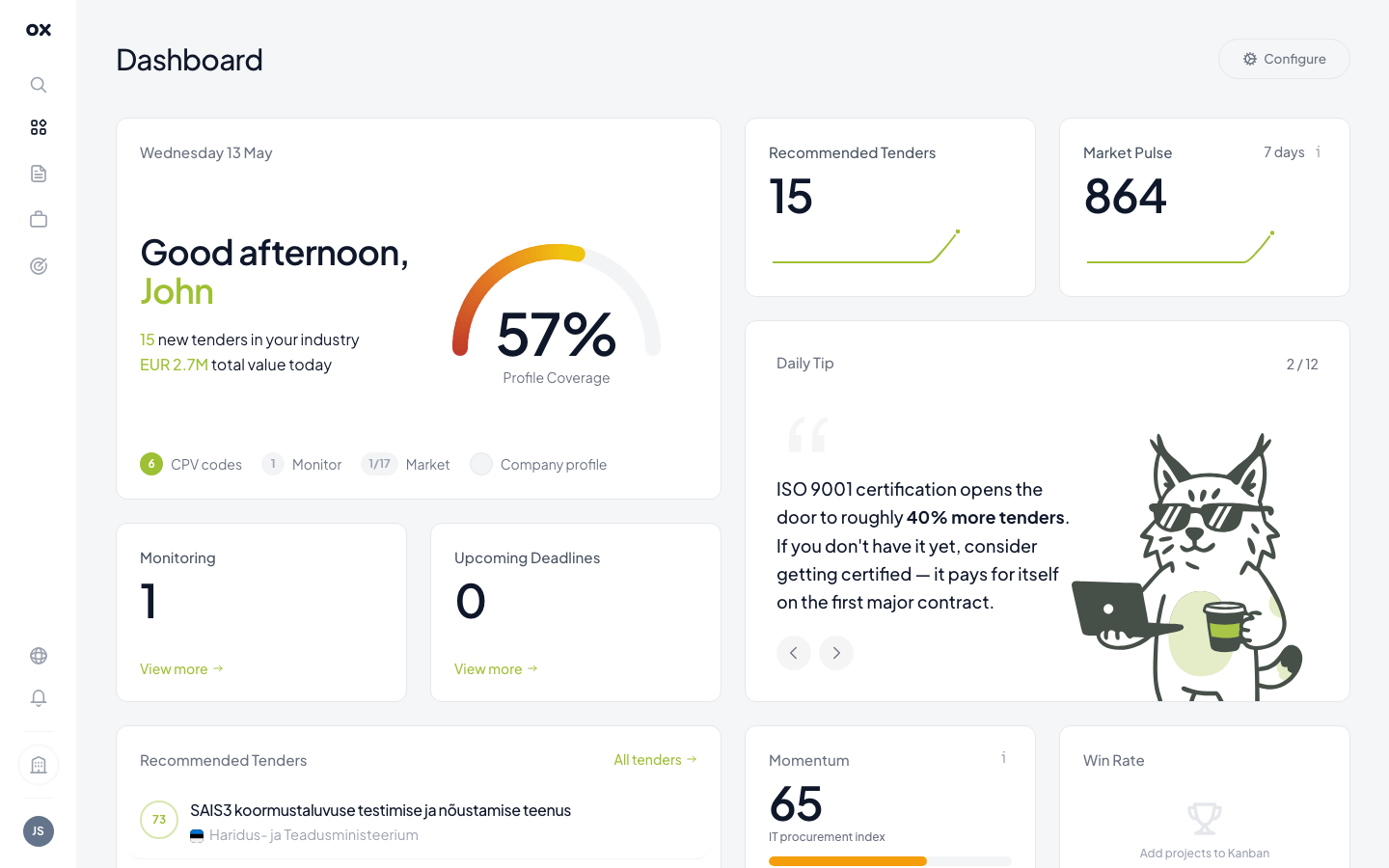
KPI cards (top row)
| Card | What it means |
|---|---|
| Greeting + profile coverage | Quick greeting plus a profile-completeness dial. Higher coverage = sharper AI relevance scores. |
| Recommended tenders | Tenders today that scored above your relevance threshold. Click through to the filtered list. |
| Market Pulse (7 days) | Rolling 7-day count of new tenders on your selected markets. Sparkline shows the daily trend. |
| Daily Tip | Rotating tip about procurement strategy, qualification, compliance. 12 tips in your locale. |
| Monitoring | Number of monitors active, plus how many matched in the last 24 hours. |
| Upcoming Deadlines | Tenders you saved or attached to projects that are closing soon. |
| Momentum | Activity index — created, advanced and won applications over the rolling window. |
| Win Rate | Percentage of submitted applications you've won. Appears once you have at least 3 submissions. |
Recommended Tenders table
Below the KPIs is the Recommended Tenders table — the top matches across all your markets, with one row per tender:
- Title and a country flag
- Buyer (authority)
- AI relevance score (0–100)
- Estimated value
- Submission deadline
Clicking a row opens the tender card in a side panel with the full intelligence summary, contact details and similar tenders.
Currency
All monetary values render in the currency you picked in the language & currency menu. Exchange rates refresh daily from open sources.
What's next
- See Setting up monitoring to automate the dashboard — get an email or Telegram alert whenever a new matching tender appears, instead of refreshing manually.
- Open the Tenders list for the full filtered list across your markets.
- Learn how the relevance score is calculated so you can tune your profile.