Language & currency
Otnox is multilingual end-to-end — every label, button, and date format follows the language you pick, and every monetary value is converted to the currency you pick. You change both from the globe menu in the bottom-left of the sidebar.
The globe menu
Click the globe icon at the bottom of the left navigation. A two-tab popover opens.
Language tab
The Language tab lists every supported interface language with a flag, native name, and a checkmark next to the active one.
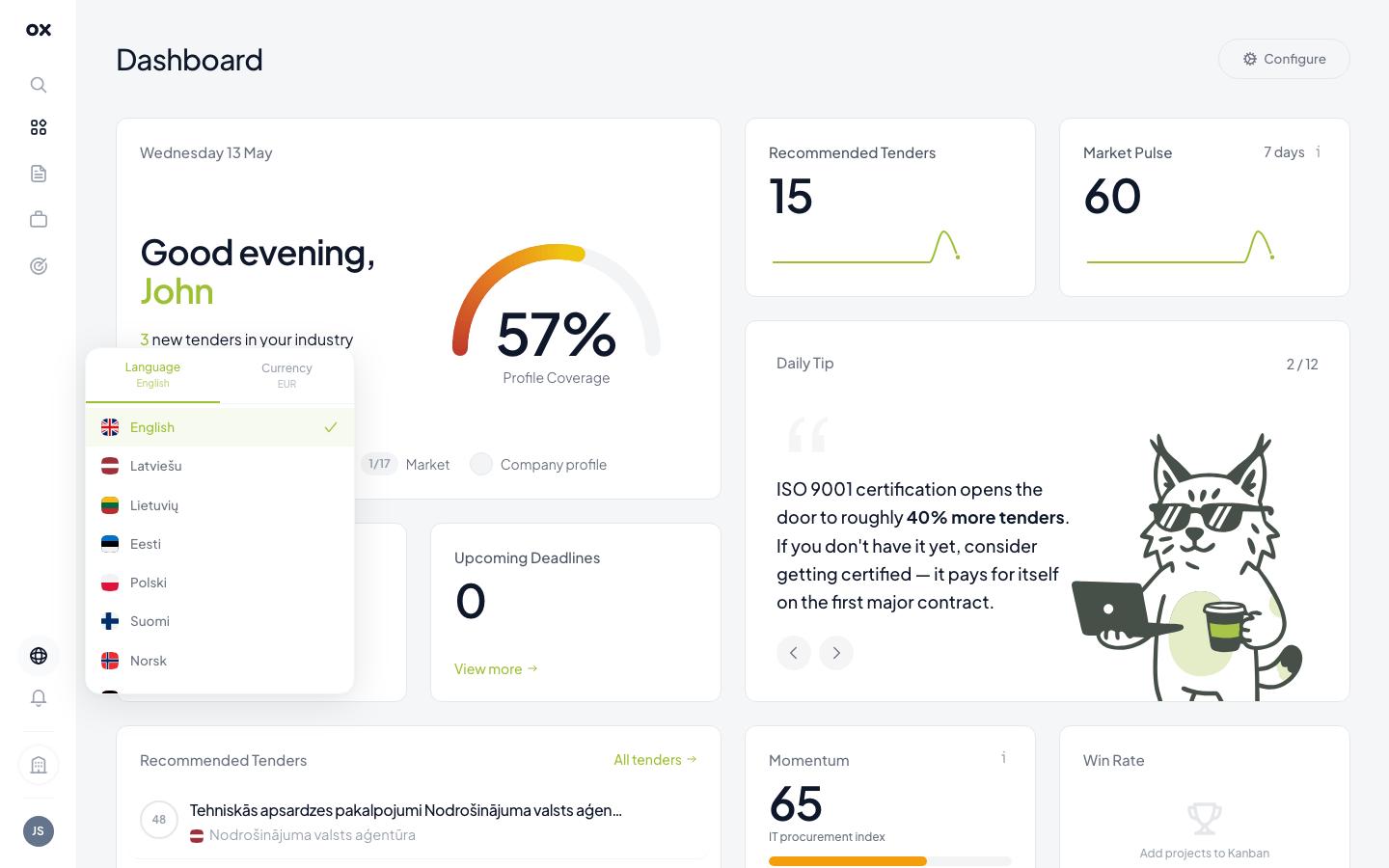
Supported languages:
- 🇬🇧 English —
en - 🇱🇻 Latviešu —
lv - 🇱🇹 Lietuvių —
lt - 🇪🇪 Eesti —
ee - 🇵🇱 Polski —
pl - 🇫🇮 Suomi —
fi - 🇳🇴 Norsk —
no - 🇫🇷 Français —
fr - 🇩🇪 Deutsch —
de - 🇪🇸 Español —
es - 🇵🇹 Português —
pt
Picking a language reloads the app under /<lang>/... URLs (e.g.
/de/dashboard). Your choice is saved per browser and persists
across sessions.
Currency tab
Switch tabs at the top to Currency.
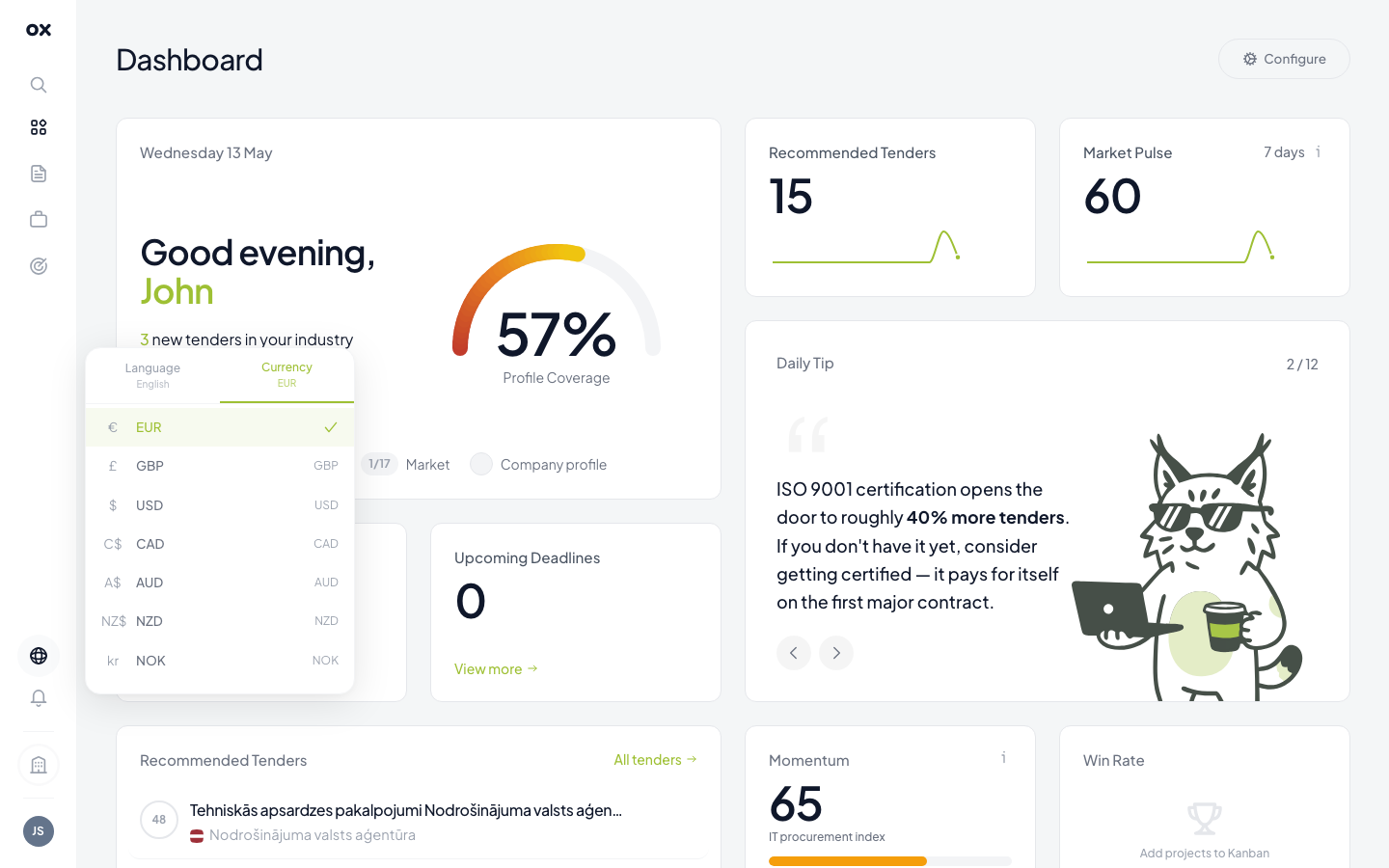
Every monetary value on Otnox — contract values, dashboard KPIs, analytics totals, tender estimates — is converted live to your chosen currency. Conversion uses the European Central Bank's daily reference rates.
Available currencies include EUR, USD, GBP, CHF, SEK, NOK, PLN, CZK, and others.
AI auto-translate for foreign titles
The interface language affects labels and chrome. Tender content (titles, descriptions, buyer names) stays in the original language of the procurement portal — Latvian for IUB, Lithuanian for CVP IS, Spanish for Spain, etc.
To read foreign tenders in your language, enable AI translation:
- Open Settings → Integrations.
- Find the AI Translation card.
- Toggle it on and pick a target language (defaults to your interface language).
- Save.
From then on, every foreign tender shows a small AI sparkle icon next to its title in the list and the popup. Click it once to swap the original title with the AI translation; click again to flip back. See Tender popup → Auto-translate for details.
Translations are cached per tender so repeated reads are instant and free. The first translation of a new tender takes ~500ms while the model runs in the background.
How locale, currency and translation interact
| Setting | Affects | Where |
|---|---|---|
| Interface language | Labels, buttons, dates, formats | Globe menu → Language |
| Currency | All monetary values | Globe menu → Currency |
| AI translation target | Foreign tender titles + descriptions | Settings → Integrations |
The three are independent. You can run the interface in English, view values in PLN, and auto-translate Latvian tenders to French — the platform doesn't force them to match.
Where to switch them
- Globe menu — language + currency
- Settings → Integrations — AI translation toggle and target
- Settings → Profile — date format and number format preferences