Telegram integration
Telegram is the fastest channel — alerts arrive within seconds of Otnox detecting a match, on every device where your Telegram is open.
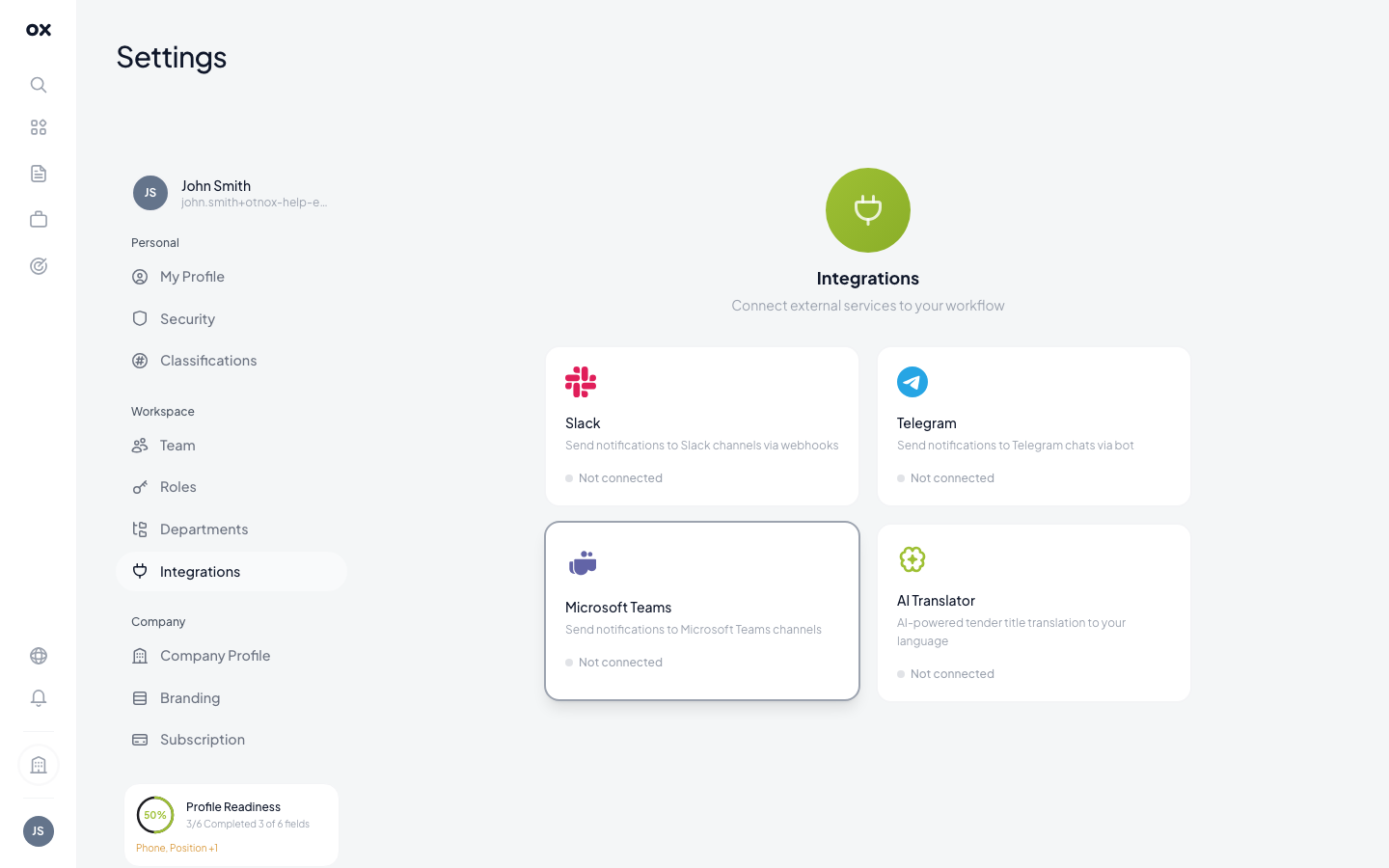
Connecting your Telegram
- Open Settings → Integrations.
- Click Connect Telegram. A deep link opens
@otnox_botwith a pre-filled/startmessage containing your workspace token. - Tap Start in Telegram.
- Return to Otnox — the integration card now shows your Telegram handle as connected.
The whole flow takes about 15 seconds. The connection is per user, so each teammate connects their own Telegram.
What an alert looks like
Each Telegram message contains:
- 📋 Tender title with a deep link back to the tender card
- 🏢 Buyer / authority + country flag
- 💰 Estimated contract value (in your selected currency)
- ⏳ Submission deadline (red if < 7 days away)
- ⭐ AI relevance score
- 🎯 The monitor that triggered the match
Messages are formatted for quick scanning — under 5 seconds to decide whether to open.
Group notifications
Group-target notifications are not yet supported — the bot delivers to the personal chat of the user who connected it. If your team wants a shared alert feed, forward the daily digest email to a shared inbox or configure a separate workspace with a service-account Telegram.
Disconnecting
Click Disconnect on the integration card, or send /stop to
@otnox_bot in Telegram. Either method severs the link instantly.
Troubleshooting
If alerts stop arriving:
- Re-open the bot — Telegram occasionally pauses bots you haven't interacted with in months. Send any message to wake it.
- Check the monitor — paused monitors send nothing. Go to Monitoring and confirm the tumblers are green.
- Reconnect — click Disconnect, then Connect Telegram again. The whole 15-second flow re-establishes the binding.