Favorites & saved filters
Otnox gives you two complementary shortcuts: favorites for individual tenders you want to return to, and saved filters for the entire filter combination ("Latvia + IT + Open + over EUR 50k") that you build up in the panel.
Favorites — bookmark a tender
Every row in the tenders list has a bookmark icon that appears when you hover the row. Click it once and the bookmark fills in green — the tender is now in your favorites.
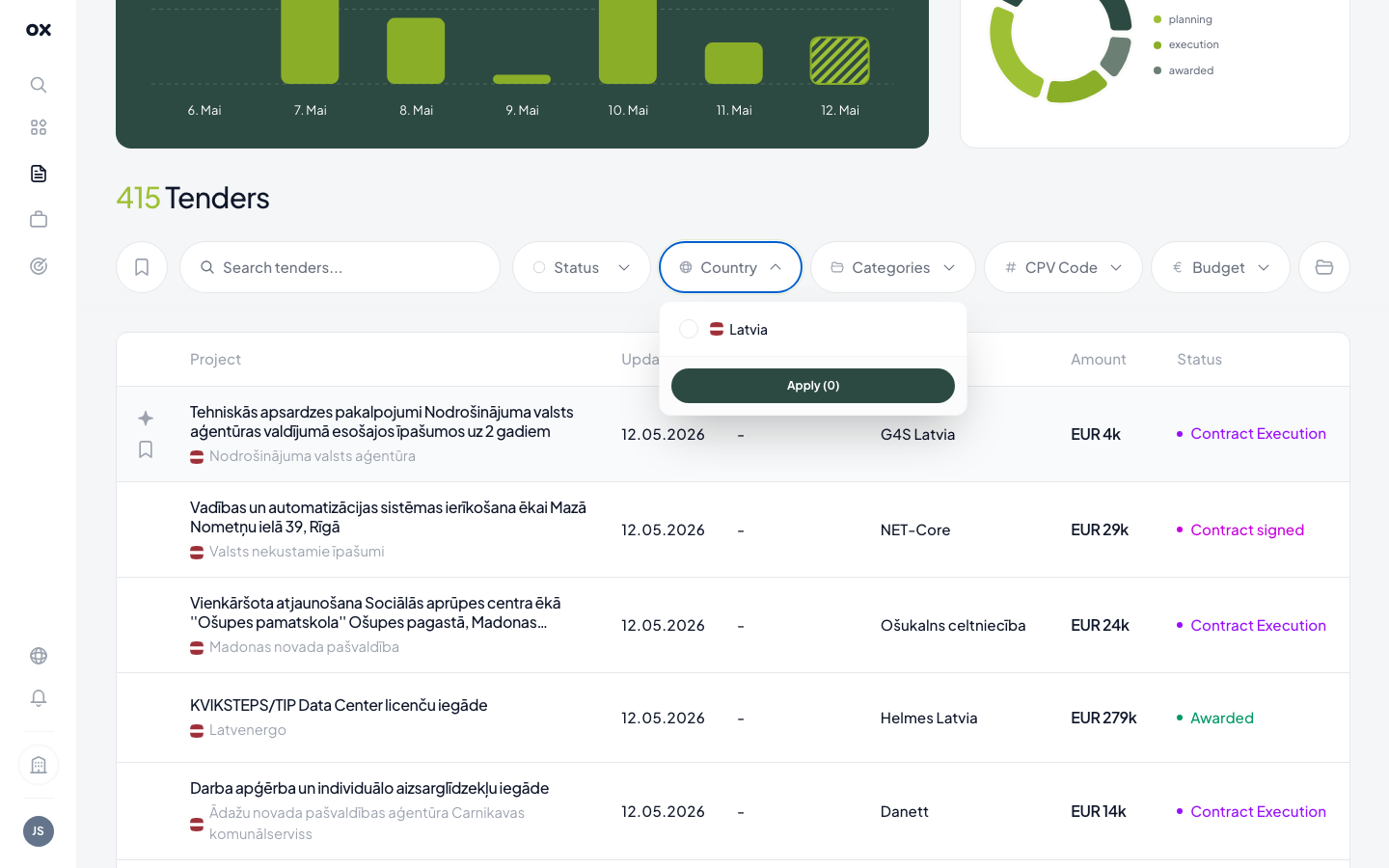
You can also bookmark from inside the tender popup — the same icon lives in the popup header. Bookmarks are per user, not per workspace, so each team member maintains their own short list.
Viewing your favorites
The same bookmark icon at the left of the filter row toggles the list to favorites-only view. When active it turns green; the list shrinks to just your bookmarked tenders, with the row count (e.g. "1 Tenders") updated.
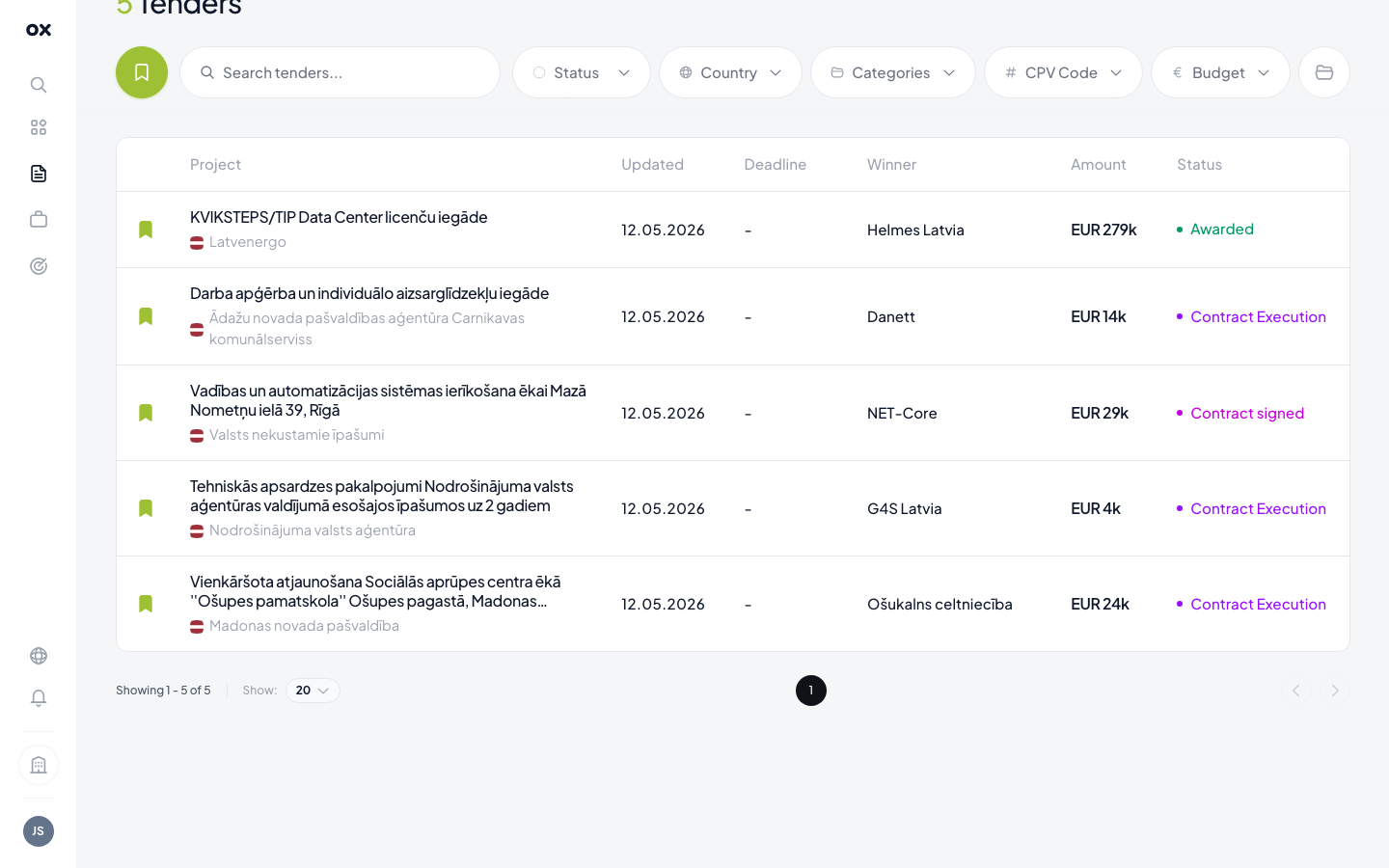
The other filters (status, country, CPV, value, date) still apply on top of the favorites set, so you can narrow further — e.g., "favorites that are still open and over EUR 100k".
Saved filters — store an entire filter set
When you've assembled a useful filter combination — say Latvia + Construction CPV + Open status + value 50k–500k — Otnox lets you save the whole set under a name so you can recall it later.
- Apply your filters in the panel as usual (see Using filters).
- Click the folder icon at the right end of the chip row.
- Type a meaningful name in the Save Filter form (e.g. "IT procurements", "EU construction over 100k", "Riga healthcare").
- Hit Save Filter — the preset is now in your Saved tab.
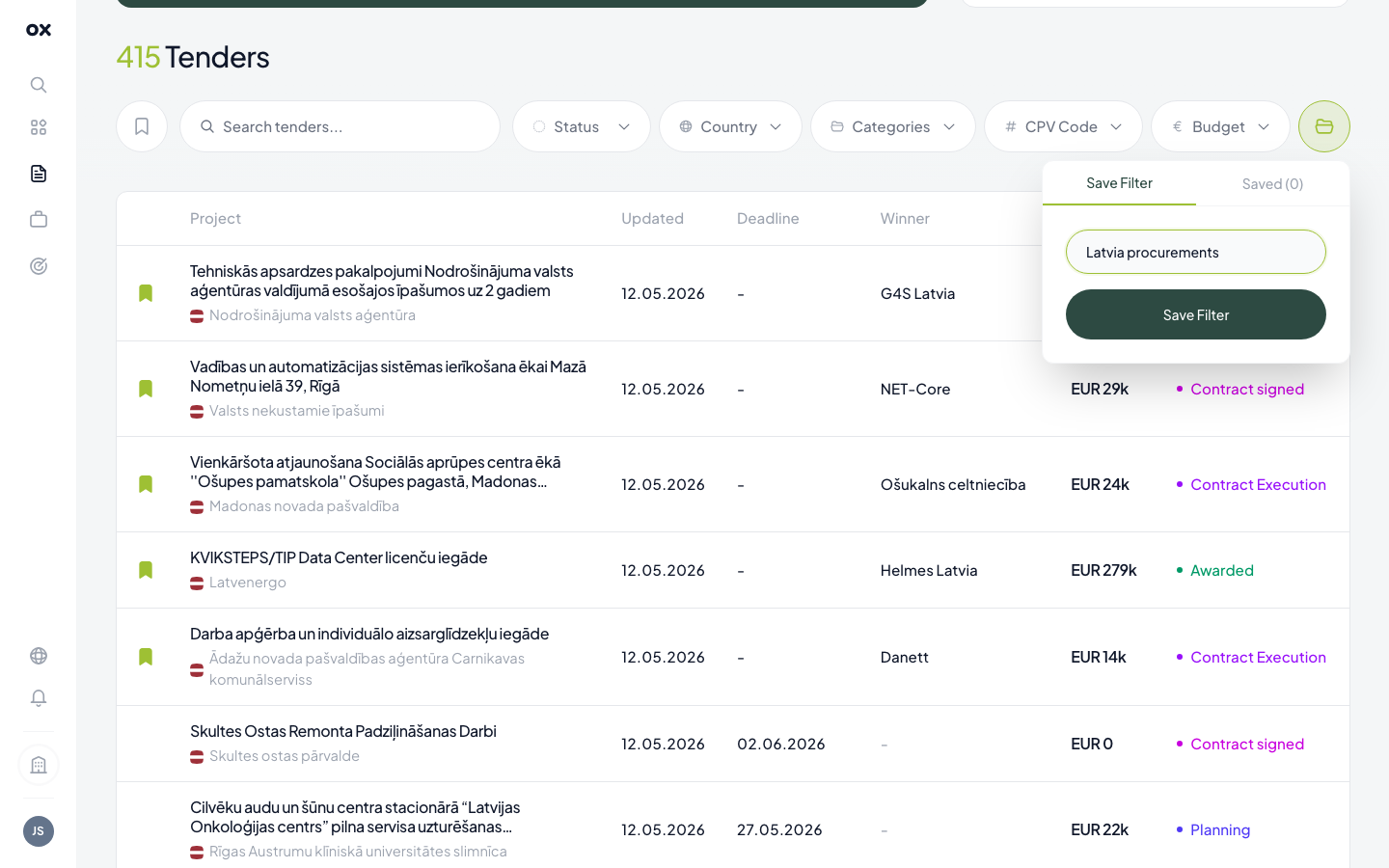
Loading a saved filter restores every active chip plus the country, status, CPV and value-range selections in one click. Open the same folder icon and switch to the Saved tab to pick a preset.
Saved filters are per user and synchronised across devices, so the preset you saved on your laptop is also there in the morning on your tablet.
Renaming or deleting a preset
Open the saved-filters dropdown and click the small icon next to a preset to rename it, or delete it if it's no longer useful. There's no limit on how many presets you can save.
When to save vs when to monitor
A saved filter is great for filter sets you want to review on demand — open the dashboard, pick the filter, scroll the new tenders that came in this week.
A monitor (in the Monitoring section) is the same filter combination but continuously evaluated — Otnox emails you (or pushes to Telegram) every time a new tender matches. A monitor is a saved filter that runs without you having to log in.
A common workflow:
- Build the filter set in the tenders panel
- Save it as a preset to refine the combination
- Once it produces consistently good results, copy the same settings into a monitor so you stop having to open the page
This way the manual review on a saved filter is for the early exploration phase; the monitor takes over once the search is stable.